
















Combine VIZIO OS Data with Your Walmart Account Data
When ON
The data from your VIZIO OS devices, including Viewing Data, Activity Data, Mobile App Data, and Mobile Streaming Data (“VIZIO OS Data”) will be linked to the Walmart account logged in to those devices or services and combined with that Walmart account’s data to enable enhanced Walmart customer experiences, to deliver personalized promotion and advertising (in stores and across Walmart’s digital channels, such as Walmart.com and the Walmart app), and to measure and report on ad performance. For these purposes, Walmart may share VIZIO OS Data with its internal advertising network (Walmart Connect), advertisers, ad measurement providers, ad tech/analytics vendors acting on its behalf, and corporate affiliates (such as Sam’s Club).
When OFF
Your VIZIO OS Data is only linked to your Walmart account data as necessary to enable services on your VIZIO OS devices.
Limited disclosure to Walmart of VIZIO OS Data may continue whether this setting is ON or OFF, such as for aggregate audience measurement, aggregate reporting on ad performance, or pseudonymized target audience groups.
Tell me more
We will apply this preference to your Walmart account for all updated VIZIO devices associated with that account. At any time, you may opt-out of connecting your Walmart account data to VIZIO OS Data by logging into VIZIO.com/account or on the VIZIO Mobile App.
If you turn off collection of VIZIO OS Data on one of your VIZIO devices, then data from that device will be excluded. To stop collection of VIZIO OS Data on a device or service, you can take these steps for the device or service:
- For VIZIO OS TVs, you can turn off Viewing Data at any time: All Settings > Privacy & Legal > Viewing Data. On older TVs, you may direct your remote to All Settings > Admin & Privacy > Viewing Data.
- For VIZIO OS TVs, you can turn off Activity Data by resetting your TV to factory settings.
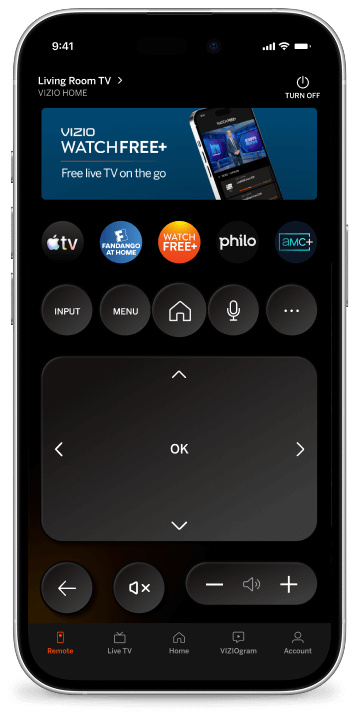
- For the VIZIO Mobile App, you can turn off the collection of Mobile Streaming Data by reinstalling the App and declining the use of WatchFree+. You can also stop collection of Mobile App Data entirely, if you choose to uninstall and not use the VIZIO Mobile App. The Mobile App is not required to use your VIZIO OS product.
Walmart will use administrative and technical safeguards, including encrypting or hashing identifiers, to limit the access to your VIZIO OS Data within Walmart to only those personnel reasonably necessary and only to the extent needed to conduct the activities described in the Consent to Combine VIZIO OS Data with Your Walmart Account Data.
You can always request access to or deletion of your VIZIO OS Data from your Walmart account, as described in the VIZIO Privacy Policy.